Fantasy Jobs
Using Figma MCP and Claude code to build, and self-publish a job board. Styled in a fantasy setting to keep things fun.
The goal
I wanted to explore using AI to publish design systems
I had experience with vibe-coding and wanted to explore the Figma MCP, to Claude Code workflow.
The goal was to publish a site, make changes in the Figma file and push those through to a live project without any developer assistance.
What is Figma MCP?
Figma MCP (Model Context Protocol) is an open standard bridge that connects Figma design files directly to AI-powered developer tools and coding assistants like Cursor, VS Code, Windsurf, and Claude Code.
The workflow

The Project
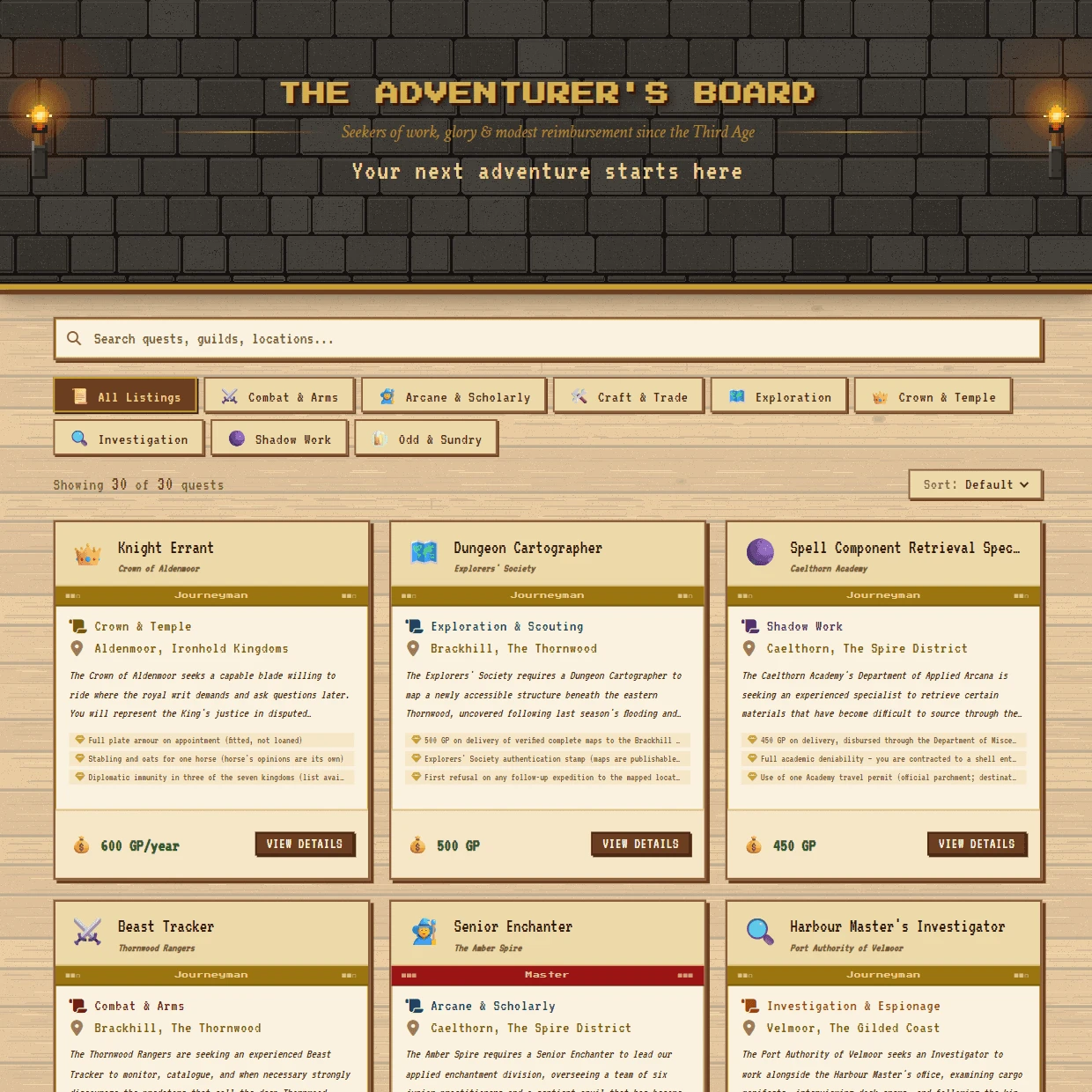
The Adventurer’s board
I got quite overwhelmed by all the posts around designers coding now (used to be reserved for unicorns!), but once I took the pressure off and applied it to something fun I had a hard time switching off.
I build job boards day-to-day, so I built this silly one for a fantasy world.
Thinking of the in-world job types and art direction made all the technical barriers seem much less daunting. Have a look and apply for a quest, the contract signing interaction is my favourite part. Don’t expect a response though!
I got Claude to walk through every small detail, step by step, explaining everything along the way. Including accounts to set up, software to install, where to publish my work etc.
Screenshots
 The Adventurer's Board
 A quest in full
 The design system in Figma
 Signing the contract
The Takeaway
What I learned…
Claude code documentation
How to structure a Claude Code project with persistent documentation markdowns (PRD's, design specs, content briefs)
AI Prototyping
Rapid prototyping interaction designs directly in HTML helped me see my work in action, making refinements at a much faster pace
Direct-to-code design
Updating designs directly in the repo for small immediate tweaks without dev assistance
Design system Figma MCP
Maintaining a code-matched design system with Figma model context protocol to guarantee alignment
AI Accessibility
Using AI to review and tighten up accessibility compliance to WCAG 2.1 Level AA (keyboard nav, ARIA, semantic structure)
Self publishing work
Building repos, creating branches and completing merge requests in GitHub, and hosting my work on Vercel to share with others
The outcome
I’ve already helped my team at Madgex get up to speed. Now we’re exploring ways to integrate it into our workflow, without trying to learn 100 new things at once!
Plus my friends are thrilled with a new resource for their Dungeons & Dragons campaigns!